
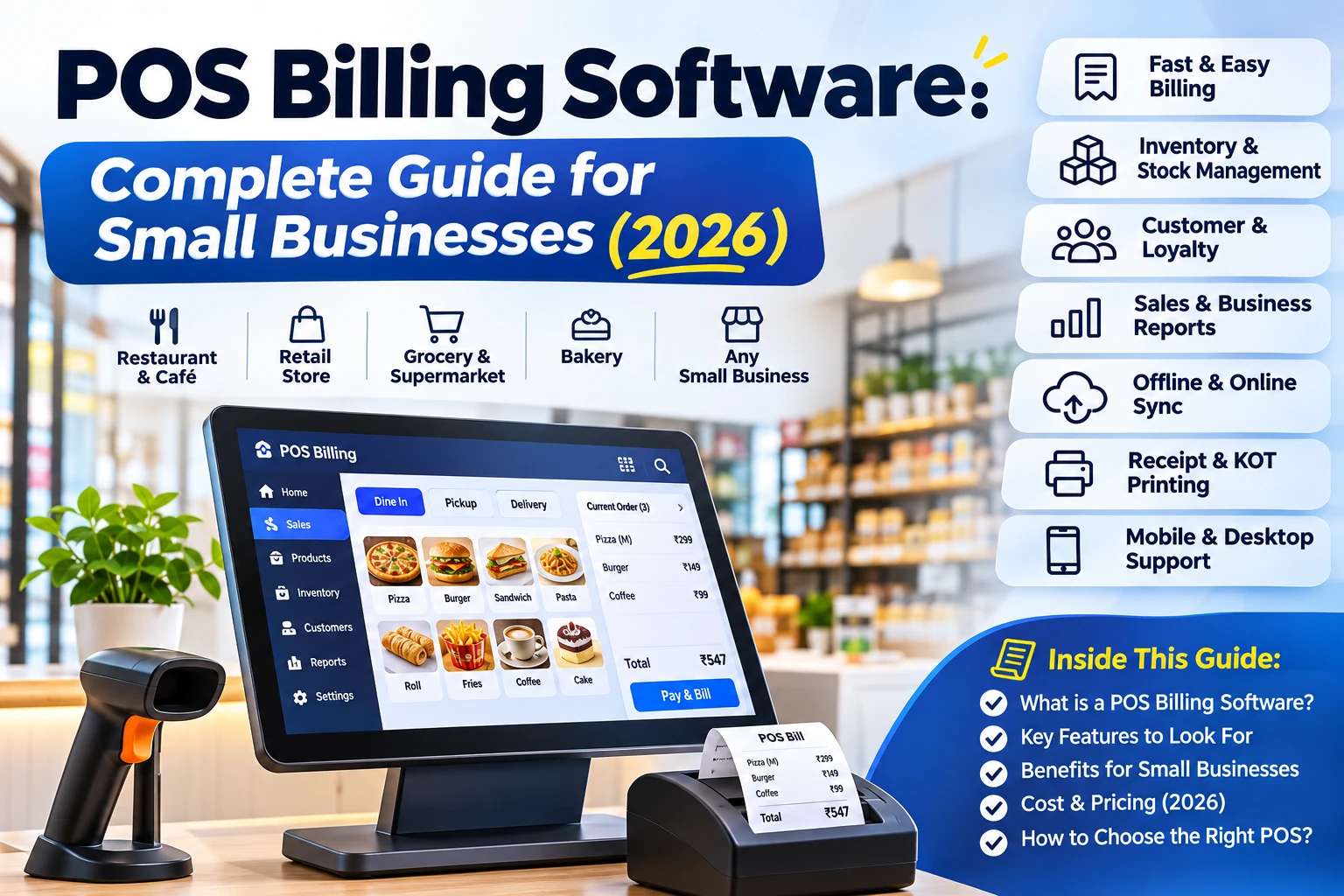
POS billing software helps small businesses manage daily billing, GST invoices, inventory, barcode scanning, purchases and sales reports. Discover essential features, benefits and how to choose the right POS system.
In this article
- What Is POS Billing Software?
- How Does a POS System Work?
- Essential Features of Modern POS Software
- 1. Fast Billing and Invoice Generation
- 2. Inventory and Stock Management
- 3. Barcode Scanning
- 4. GST Billing and Tax Management
- 5. Sales Reports and Analytics
- 6. Purchase and Supplier Management
- 7. Customer Management
- Benefits of POS Software for Small Businesses
- Which Businesses Need a POS System?
- Retail Stores
- Restaurants and Cafes
- Wholesalers and Distributors
- Small and Growing Businesses
- How to Choose the Right Billing Software?
- How EasyBillMatic Simplifies Business Management
- Frequently Asked Questions
- 1. What is POS billing software used for?
- 2. Is POS software suitable for small businesses?
- 3. Can POS software manage inventory?
- 4. Does POS software support barcode scanners?
- 5. Can restaurants use POS billing software?
- 6. What should I check before buying POS software?
- Conclusion
POS billing software helps small businesses manage daily sales, generate invoices, track inventory, process payments, and organize business operations. Instead of handling bills and stock records manually, business owners can use a digital POS system to save time, reduce billing errors, and monitor business performance.
Whether you operate a retail shop, supermarket, restaurant, cafe, bakery, or grocery store, choosing the right billing solution can make daily business operations easier and more organized.
What Is POS Billing Software?
POS billing software is a digital business solution used to create invoices, process sales transactions, manage products, track inventory, and generate business reports.
POS stands for Point of Sale. It refers to the place where customers complete their purchases. A modern Point of Sale system replaces manual billing processes with digital tools that help businesses manage transactions efficiently.
Depending on the software, a POS system can connect with barcode scanners, thermal receipt printers, payment systems, and inventory management tools.
How Does a POS System Work?
A POS system simplifies the complete sales process, from product selection to payment collection.
- Add Products: Enter product names, prices, categories, tax rates, and stock quantities.
- Select Products: Search for products or scan barcodes to add items to a bill.
- Calculate the Bill: Calculate quantities, discounts, applicable taxes, and the final amount automatically.
- Accept Payment: Record cash, card, UPI, or other supported payment methods.
- Generate Invoice: Print or share the customer invoice.
- Update Inventory: Update stock quantities according to completed sales.
- View Reports: Review sales, revenue, stock, and business performance.
Essential Features of Modern POS Software
1. Fast Billing and Invoice Generation
Create customer bills quickly without manually calculating product prices, quantities, discounts, and taxes. Generate professional invoices and print receipts using compatible thermal printers.
2. Inventory and Stock Management
Inventory management helps businesses track available stock, manage product quantities, monitor stock movements, and identify low-stock products. This makes it easier to maintain accurate stock records.
3. Barcode Scanning
Barcode scanning makes product selection faster, especially for retail stores and supermarkets. Scan a product barcode to add the corresponding item to the billing screen without searching manually.
4. GST Billing and Tax Management
Businesses in India can use suitable billing solutions to configure applicable tax rates, generate GST invoices, and organize transaction records. Make sure your invoice configuration follows the applicable GST requirements for your business.
5. Sales Reports and Analytics
Sales reports help business owners understand their performance through daily, weekly, and monthly summaries. Monitor revenue, popular products, transaction history, and other important business metrics.
6. Purchase and Supplier Management
Maintain supplier information, record purchases, create purchase orders, and update inventory when new products arrive. Organized purchase records help businesses monitor stock costs and supplier transactions.
7. Customer Management
Maintain customer details, review purchase history, and organize customer information. These records can help businesses provide better customer service and build long-term relationships.
Benefits of POS Software for Small Businesses
- Saves Time: Automates repetitive billing and stock management activities.
- Reduces Manual Errors: Calculates totals, discounts, and taxes automatically.
- Improves Stock Control: Helps monitor inventory and product availability.
- Better Business Decisions: Provides sales reports and useful business insights.
- Professional Billing: Generates organized invoices and receipts.
- Improves Organization: Keeps sales, purchases, customers, and inventory records organized.
Which Businesses Need a POS System?
Retail Stores
Clothing stores, grocery shops, supermarkets, electronics stores, mobile shops, and other retailers can use retail billing software to manage product sales, barcode scanning, inventory, and customer transactions.
Restaurants and Cafes
Restaurants, cafes, bakeries, and food outlets can use restaurant POS systems to manage dine-in, takeaway, and delivery orders, kitchen order tickets (KOT), menus, tables, and billing operations.
Wholesalers and Distributors
Wholesale businesses can organize product catalogs, purchase records, supplier details, stock quantities, and sales transactions using a suitable business management system.
Small and Growing Businesses
Businesses looking to replace handwritten bills, spreadsheets, and manual stock registers can benefit from digital billing and inventory tools.
How to Choose the Right Billing Software?
Before selecting a POS solution, evaluate your business requirements and compare the available features.
- Easy-to-use billing interface.
- Inventory and purchase management features.
- Barcode scanner and thermal printer compatibility.
- GST invoice configuration where required.
- Restaurant and retail business support, if applicable.
- Detailed sales and inventory reports.
- Data backup and security options.
- Transparent pricing and customer support.
- Compatibility with your existing business hardware.
Choose software according to your business requirements instead of paying for features you do not need.
How EasyBillMatic Simplifies Business Management
EasyBillMatic provides POS solutions designed to help retail and restaurant businesses simplify their daily billing and management activities.
Businesses can explore features such as:
- Fast POS billing and invoice generation.
- Retail product and inventory management.
- Barcode scanning support.
- Restaurant billing and order management.
- Purchase and supplier management.
- Sales reports and business insights.
- AI-assisted menu and purchase document uploads.
Whether you manage a retail store or a restaurant, the right digital tools can help organize everyday business activities.
Explore EasyBillMatic POS solutions to learn more about simplifying your business operations.
Frequently Asked Questions
1. What is POS billing software used for?
POS billing software is used to create invoices, process sales, manage products, track inventory, record payments, and generate business reports.
2. Is POS software suitable for small businesses?
Yes. Small businesses can use POS software to simplify billing, organize inventory, reduce manual work, and monitor sales performance.
3. Can POS software manage inventory?
Many POS systems include inventory management features that help businesses track stock, record purchases, and monitor product availability.
4. Does POS software support barcode scanners?
Many modern POS solutions support compatible barcode scanners, allowing businesses to add products to bills quickly.
5. Can restaurants use POS billing software?
Yes. Restaurant POS systems can support menu management, dine-in orders, takeaway orders, delivery orders, kitchen order tickets, and billing.
6. What should I check before buying POS software?
Check billing features, inventory management, hardware compatibility, reports, pricing, support, data security, and whether the software meets your business requirements.
Conclusion
POS software is an important tool for businesses that want to improve billing speed, manage inventory, organize sales records, and simplify daily operations. From small retail shops to restaurants and growing businesses, the right solution can make business management more efficient.
Explore EasyBillMatic to discover POS solutions designed for restaurant and retail business operations.