
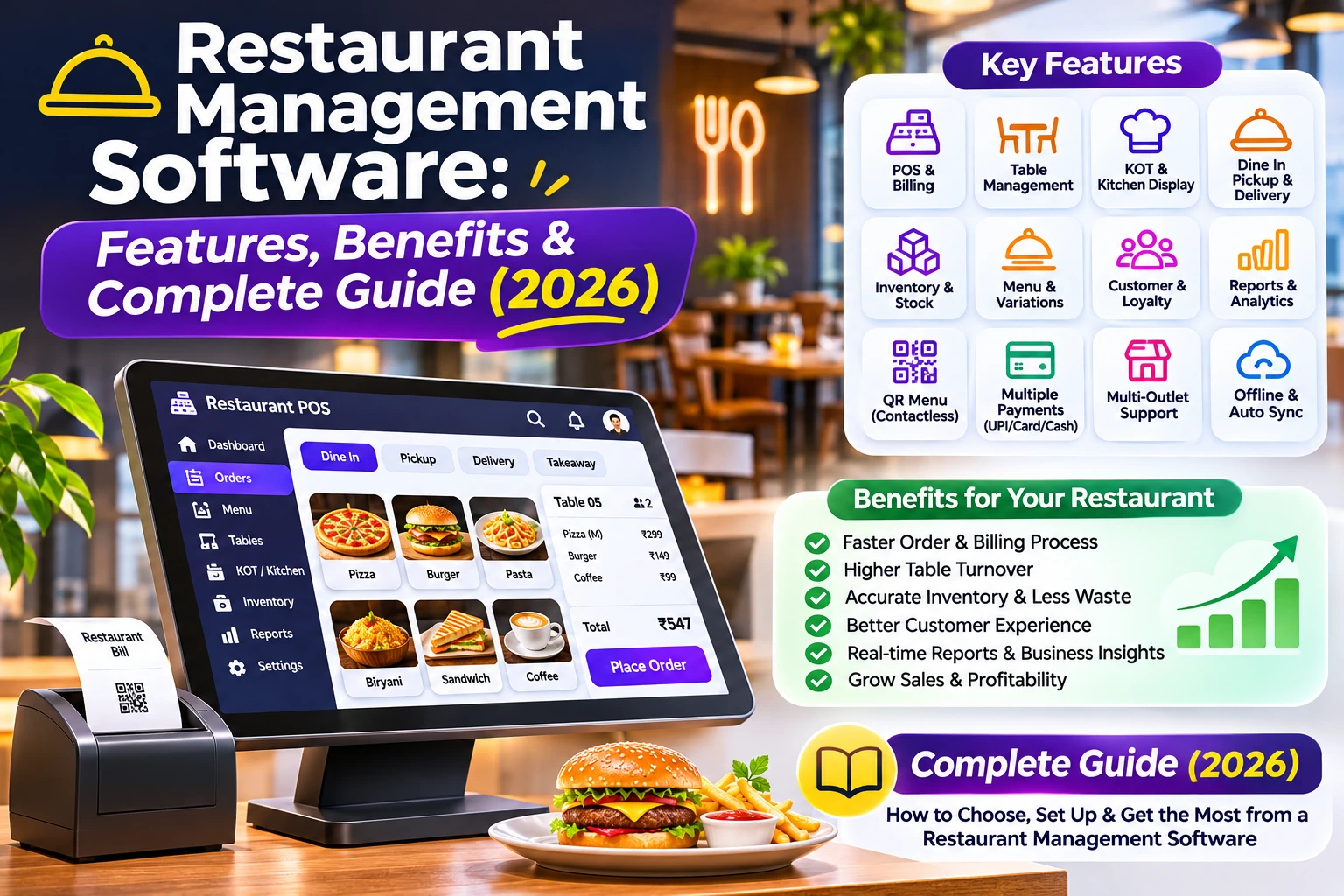
Discover how restaurant management software simplifies orders, table management, KOT, billing, inventory and kitchen operations. Explore essential features and benefits for restaurants, cafes, bakeries and cloud kitchens.
In this article
- What Is Restaurant Management Software?
- How Does Restaurant Management Software Work?
- Essential Features of Restaurant Management Software
- 1. Restaurant POS Billing
- 2. Table Management
- 3. Kitchen Order Ticket (KOT) Management
- 4. Dine-In, Takeaway and Delivery Orders
- 5. Menu Management
- 6. Inventory and Stock Management
- 7. Purchase and Supplier Management
- 8. Sales Reports and Business Analytics
- 9. Customer Management
- Benefits of Restaurant Management Software
- Which Restaurants Need Management Software?
- Small Restaurants
- Cafes and Coffee Shops
- Fast-Food Restaurants
- Bakeries
- Cloud Kitchens
- How to Choose the Right Restaurant Software?
- How EasyBillMatic Helps Restaurants Manage Daily Operations
- Frequently Asked Questions
- 1. What is restaurant management software?
- 2. Is restaurant software suitable for small restaurants?
- 3. What is KOT in restaurant management?
- 4. Can restaurant software manage dine-in and takeaway orders?
- 5. Can restaurant management software track inventory?
- 6. Can restaurant software work with thermal printers?
- 7. How much does restaurant management software cost?
- Conclusion
Restaurant management software helps restaurant owners manage daily operations such as order processing, table management, kitchen coordination, billing, inventory, and sales tracking. Instead of handling every activity manually, restaurants can use a digital system to organize operations, reduce errors, and improve customer service.
Whether you operate a small cafe, bakery, fast-food outlet, cloud kitchen, or full-service restaurant, the right software can make daily restaurant operations easier and more efficient.
What Is Restaurant Management Software?
Restaurant management software is a digital solution designed to manage different activities involved in running a restaurant. It connects important operations such as customer orders, food preparation, billing, payments, menu management, and inventory.
Without a centralized system, restaurant employees may need to manage orders using handwritten notes, communicate with kitchen staff manually, and calculate bills separately. This can create confusion during busy hours.
A modern restaurant management system brings these activities together, helping restaurant owners and employees work through a more organized process.
How Does Restaurant Management Software Work?
A restaurant system manages the journey of an order from customer selection to final payment.
- Manage the Menu: Add food items, categories, prices, descriptions, and available variations.
- Accept Orders: Create dine-in, takeaway, or delivery orders.
- Manage Tables: Assign tables and organize customer orders for dine-in service.
- Send Orders to the Kitchen: Share order details with kitchen staff through kitchen order tickets (KOT) or supported kitchen workflows.
- Prepare Food: Kitchen employees view ordered items and prepare them.
- Generate Bills: Calculate food prices, quantities, discounts, and applicable taxes.
- Collect Payments: Record supported payment methods and complete the transaction.
- Review Reports: Monitor sales, orders, and business performance.
Essential Features of Restaurant Management Software
1. Restaurant POS Billing
A restaurant POS system helps employees create bills quickly and manage customer transactions. It calculates item prices, quantities, discounts, and applicable taxes to generate organized invoices.
Restaurants can also use compatible receipt printers to print customer bills and improve the checkout process.
2. Table Management
Table management helps restaurants organize dine-in operations. Employees can assign tables, create orders for occupied tables, and manage the billing process according to restaurant requirements.
This is particularly useful for restaurants with multiple tables and busy dining periods.
3. Kitchen Order Ticket (KOT) Management
Kitchen order ticket management helps communicate customer orders to kitchen employees. Instead of relying on handwritten order notes, staff can use a digital or printed KOT workflow to organize food preparation.
Clear order information can help reduce communication mistakes between waiters, captains, and kitchen staff.
4. Dine-In, Takeaway and Delivery Orders
Restaurants often handle different types of orders. A suitable system should make it easy to organize dine-in, pickup, takeaway, and delivery transactions.
Keeping order types organized helps employees identify how each order should be processed and served.
5. Menu Management
Menu management allows restaurant owners to organize food items, categories, prices, and product variations. For example, a restaurant can manage different pizza sizes, beverage options, food combinations, and additional toppings.
An organized digital menu makes it easier to maintain product information and update prices when required.
6. Inventory and Stock Management
Inventory management helps restaurants monitor available products, ingredients, and stock quantities. Businesses can maintain purchase records, manage suppliers, and identify products that need replenishment.
Better stock visibility can help restaurants plan purchases and reduce unnecessary wastage.
7. Purchase and Supplier Management
Restaurants regularly purchase vegetables, groceries, beverages, packaging materials, and other supplies. Purchase management helps organize supplier information, purchase orders, and incoming stock records.
8. Sales Reports and Business Analytics
Sales reports help restaurant owners understand daily revenue, order activity, and business performance. Reviewing sales information can help identify popular menu items and evaluate business operations.
9. Customer Management
Customer management helps maintain customer details and purchase history. Restaurants can use organized customer information to improve service and understand customer preferences.
Benefits of Restaurant Management Software
- Faster Order Processing: Employees can create and manage orders through an organized digital workflow.
- Better Kitchen Coordination: KOT workflows help communicate order details to kitchen staff.
- Organized Billing: Generate customer invoices and manage payments efficiently.
- Improved Table Operations: Organize dine-in orders and table assignments.
- Better Inventory Control: Monitor stock and maintain purchase records.
- Business Visibility: Review sales reports and understand restaurant performance.
- Reduced Manual Work: Replace repetitive manual processes with digital workflows.
Which Restaurants Need Management Software?
Small Restaurants
Small restaurants can use digital tools to organize billing, orders, tables, and daily sales without depending entirely on handwritten records.
Cafes and Coffee Shops
Cafes can manage beverage menus, food items, takeaway orders, customer billing, and sales records through a suitable POS system.
Fast-Food Restaurants
Fast-food businesses handle frequent orders and need an organized process for order entry, kitchen preparation, and payment collection.
Bakeries
Bakeries can organize product catalogs, item variations, sales transactions, inventory, and purchase records.
Cloud Kitchens
Cloud kitchens can benefit from structured order management, kitchen workflows, menu management, and sales reporting without requiring traditional dine-in table operations.
How to Choose the Right Restaurant Software?
Before selecting a solution, evaluate your restaurant's size, daily order volume, operational requirements, and budget.
- Easy-to-use order management interface.
- Dine-in, takeaway, and delivery order support.
- Table management for dine-in restaurants.
- Kitchen order ticket functionality.
- Menu and item variation management.
- Billing and tax configuration.
- Inventory and purchase management.
- Thermal printer compatibility.
- Sales reports and analytics.
- Data backup, security, and customer support.
Choose a solution that supports your actual restaurant workflow and can accommodate your business as it grows.
How EasyBillMatic Helps Restaurants Manage Daily Operations
EasyBillMatic provides restaurant POS solutions designed to help food businesses organize their daily operations and billing activities.
Restaurant owners can explore features designed for important workflows, including:
- Restaurant POS billing.
- Dine-in, pickup, and delivery order management.
- Table and order management.
- Kitchen order ticket (KOT) workflows.
- Food menu and item variation management.
- Inventory and purchase management.
- Sales tracking and business reports.
- AI-assisted menu and purchase document uploads.
By organizing restaurant activities through a digital workflow, businesses can reduce manual work and improve coordination between billing counters and kitchen operations.
Explore EasyBillMatic restaurant POS solutions to learn more about managing restaurant billing and daily business operations.
Frequently Asked Questions
1. What is restaurant management software?
Restaurant management software is a digital system used to manage restaurant billing, customer orders, tables, kitchen operations, menus, inventory, and sales reports.
2. Is restaurant software suitable for small restaurants?
Yes. Small restaurants, cafes, bakeries, and food outlets can use digital management systems to organize orders, billing, and daily operations.
3. What is KOT in restaurant management?
KOT stands for Kitchen Order Ticket. It contains food order details that help kitchen employees understand which items need to be prepared.
4. Can restaurant software manage dine-in and takeaway orders?
Restaurant POS systems can support different order types, including dine-in, takeaway, pickup, and delivery, depending on the software's features.
5. Can restaurant management software track inventory?
Many restaurant systems include inventory and purchase management features that help businesses monitor stock, record purchases, and organize supplier information.
6. Can restaurant software work with thermal printers?
Many POS solutions support compatible thermal printers for customer receipts and kitchen order tickets. Check hardware compatibility before purchasing.
7. How much does restaurant management software cost?
Pricing depends on the software provider, available features, number of devices, subscription model, and hardware requirements. Compare the complete cost before selecting a solution.
Conclusion
Managing a restaurant requires coordination between order processing, kitchen operations, billing, inventory, and customer service. A suitable digital system can help organize these activities and make daily operations more efficient.
From small cafes to full-service restaurants, choosing the right tools can improve operational visibility and reduce manual work.
Visit EasyBillMatic to explore restaurant POS solutions and discover ways to simplify your restaurant operations.